 macOS Menu Bar Utility
HoverCalc
A simple, powerful calculator that lives in your menu bar. Detach it into a floating window for desktop and fullscreen apps. Available in 128 languages.
 macOS Menu Bar Utility
A simple, powerful calculator that lives in your menu bar. Detach it into a floating window for desktop and fullscreen apps. Available in 128 languages.
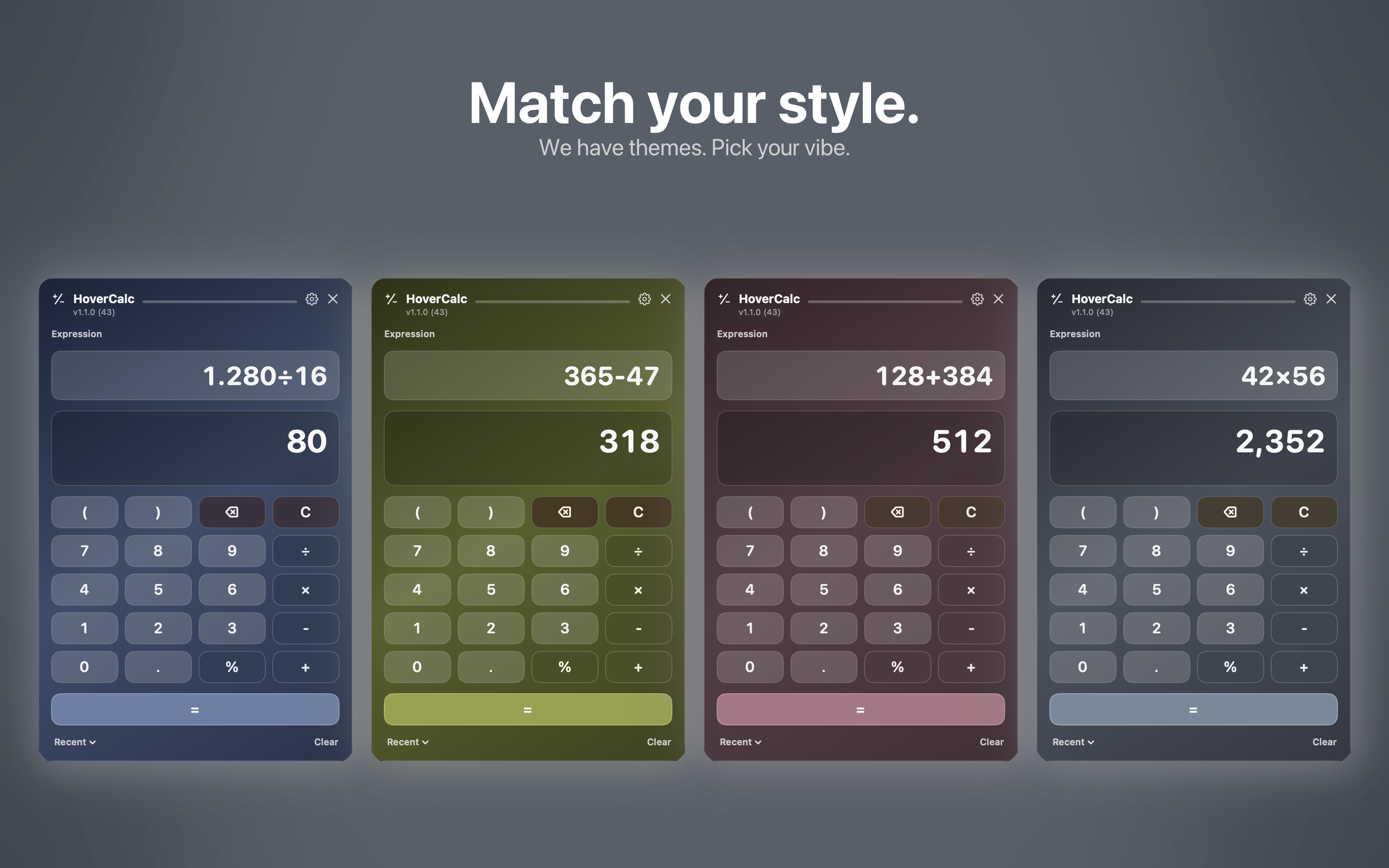
HoverCalc stays out of the way until you need it. Click the menu bar icon or press a hotkey to start calculating instantly.
Click the menu bar icon to open HoverCalc as a popup panel. Type your expression and get results instantly.
Drag the title bar to detach HoverCalc into a floating window. It stays on top of all apps, even in fullscreen.
Type full expressions like 245*18, (100+50)/3, or 2^8. See your expression and result at the same time.
Press ⌘ + = to toggle HoverCalc from any app. Fully configurable in Settings.
Recent calculations are saved so you can quickly recall previous results. Tap any entry to reuse it.
Enable launch at login so HoverCalc is always one click or keypress away. Set it once and forget it.
Choose from 8 built-in color themes, including the new Summer theme, to match your style. Pick your vibe in Settings.
Fully localized in 128 languages. HoverCalc speaks your language right out of the box.
Available on the Mac App Store. No subscription, no ads.